How do you install AI Visibility Checker?
The extension is being published in the Chrome Web Store under the name AI Visibility Checker by Milan Novotný. The install link appears here as soon as the listing is approved. It works in Chrome, Brave, Edge and other Chromium browsers.
What does AI Visibility Checker check?
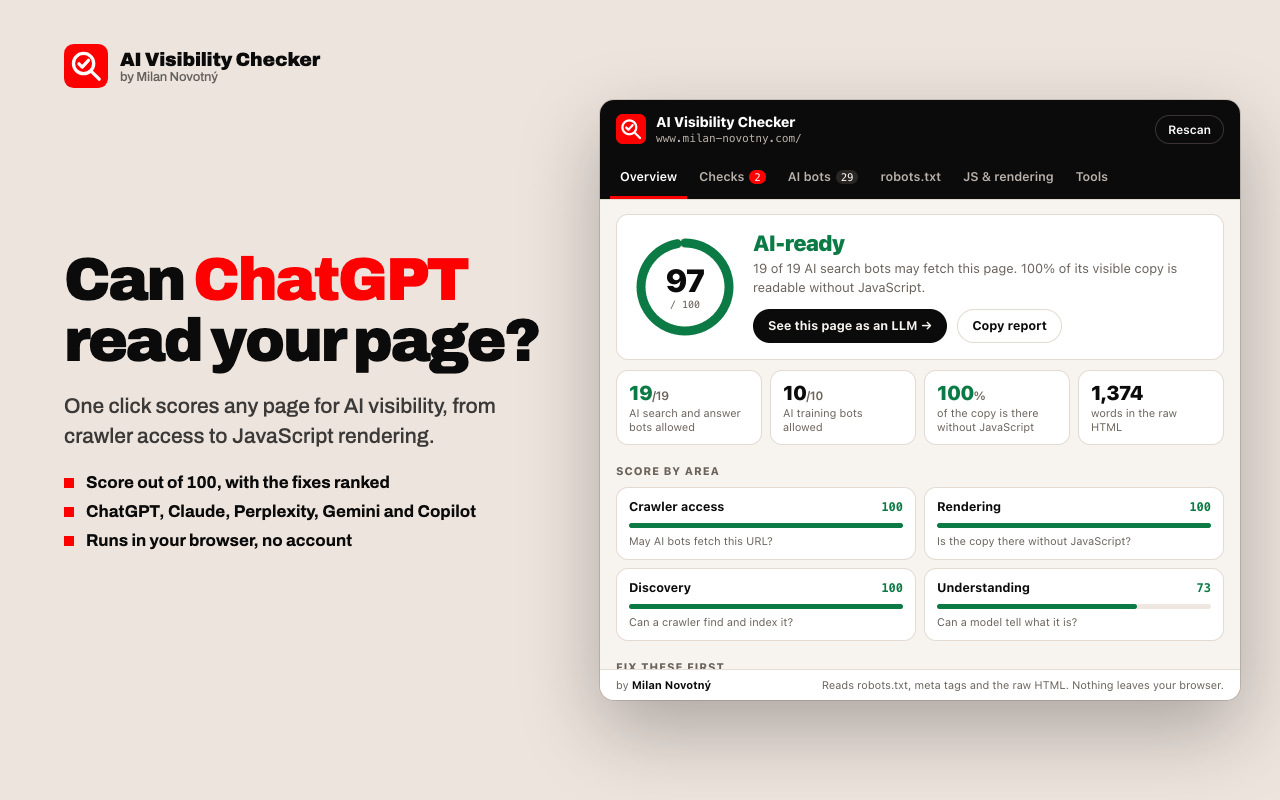
It runs 21 checks in four areas, in the order a crawler meets them.
| Area | Question | Checks |
|---|---|---|
| Crawler access | May AI bots fetch this URL? | robots.txt rules for 29 crawlers, the catch-all rule, noindex, nosnippet, noai and X-Robots-Tag |
| Rendering | Is the copy there without JavaScript? | Share of visible copy in the raw HTML, word count, empty app shells, title and H1, HTML size, response time |
| Discovery | Can a crawler find and index it? | HTTP status, canonical tag, XML sitemap, llms.txt |
| Understanding | Can a model tell what it is? | JSON-LD structured data, machine-readable date, heading outline, language, image alt text |
Which AI crawlers does it cover?
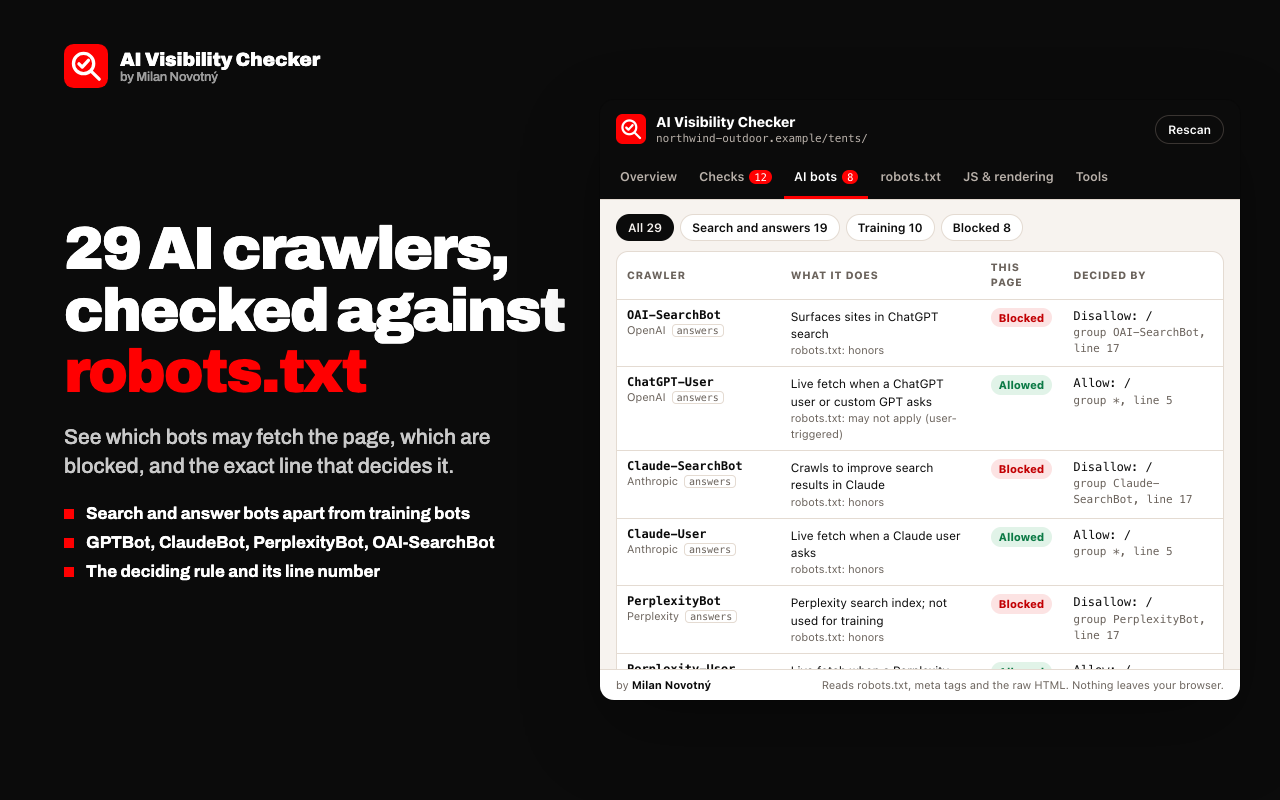
It covers 19 search and answer-time bots and 10 training bots, shown apart because blocking one is a different decision from blocking the other. The list includes OAI-SearchBot, ChatGPT-User, GPTBot, ClaudeBot, Claude-SearchBot, Claude-User, PerplexityBot, Perplexity-User, Googlebot, Google-Extended, Bingbot, Applebot, CCBot and the crawlers of Meta, Amazon, Mistral, DuckDuckGo and You.com. For each bot you see the rule and the line number that decides it.
How does the robots.txt tester work?
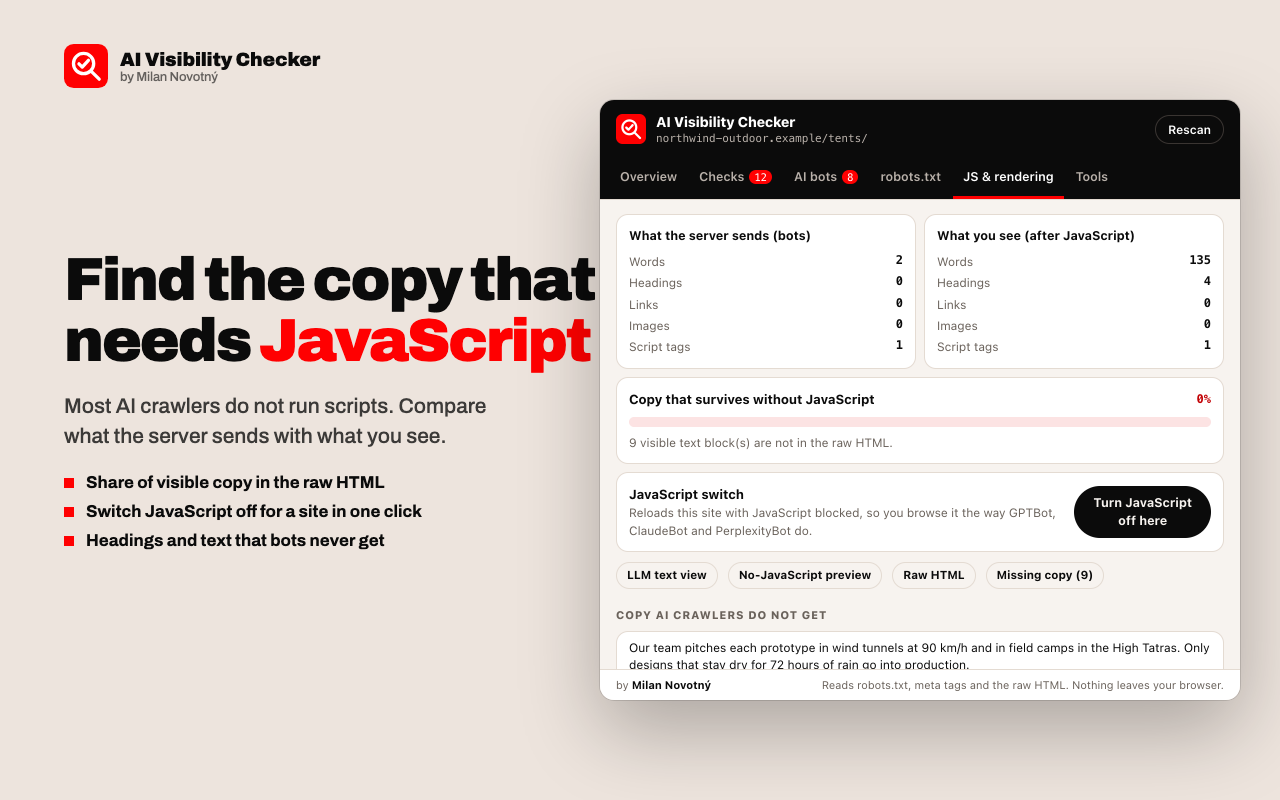
Type any path, pick any of the 29 crawlers, and the tester says whether that bot may fetch it and which rule decides. It follows RFC 9309: the most specific user-agent group wins, then the longest matching rule, and Allow beats Disallow on a tie.
How does it find copy that needs JavaScript?
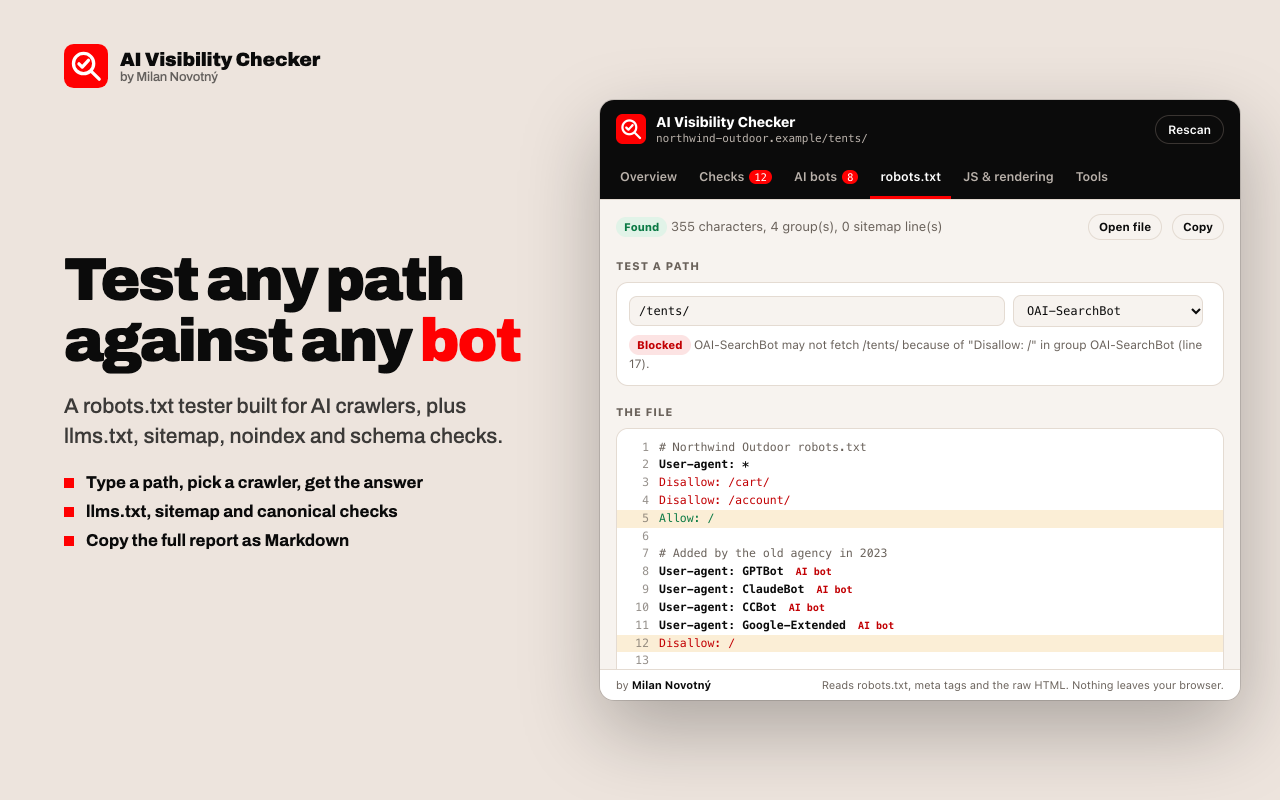
The extension requests the page again without cookies and without running scripts, then compares that HTML with the text visible in your tab. It reports the share of visible copy present in the raw HTML and lists the blocks and headings that only exist after JavaScript. A switch turns JavaScript off for one site, so you can browse it the way a crawler does.
What does a page look like to an LLM?
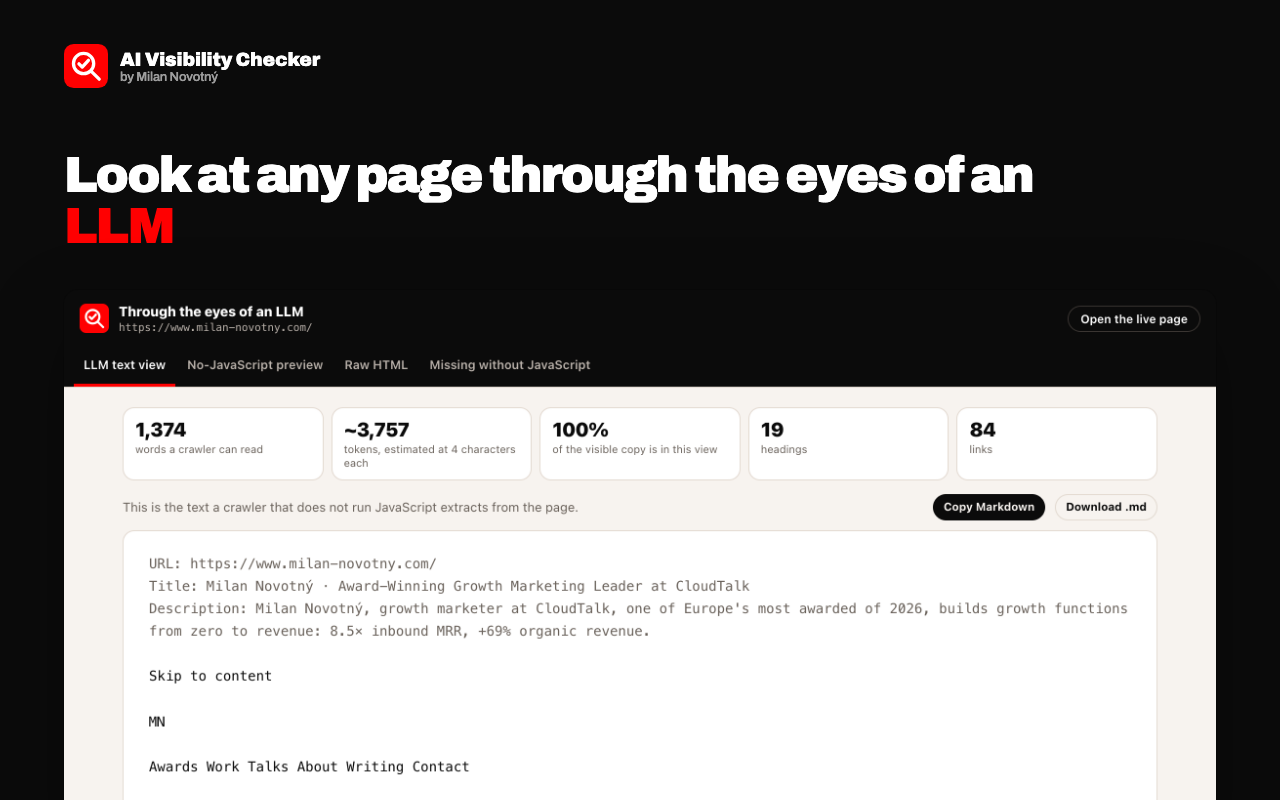
The LLM view opens in a new tab with four views of the same page:
- LLM text view. The page as clean Markdown, with a word count and an estimated token count. You can copy it or download it as a .md file.
- No-JavaScript preview. The raw HTML painted with every script blocked.
- Raw HTML. The source the server sends before any script runs.
- Missing without JavaScript. Every visible text block that is not in the raw HTML.
How do you use it?
- Open any http or https page.
- Click the extension icon, or press Alt+Shift+V.
- Read the score and open "Fix these first".
- Click "See this page as an LLM" to read what a crawler extracts.
The Tools tab also opens ChatGPT, Perplexity or Claude with a question about the page, checks whether the URL is in Google or Bing, and copies the full report as Markdown.
What can it not tell you?
- robots.txt is a request, not a lock. Some user-triggered fetchers are documented by their vendor as not bound by it.
- The extension cannot see firewall, CDN or bot-manager rules that block a crawler by user agent or IP address.
- It measures whether a page can be read and cited, not whether an AI engine cites it today.
- Chrome does not let extensions read the Chrome Web Store, PDF files or browser settings pages.
Frequently asked questions
Is my website visible to ChatGPT?
Open the page and click the extension icon. If OAI-SearchBot and ChatGPT-User are allowed in robots.txt and the copy is in the raw HTML, ChatGPT can fetch and read the page.
How do I check if GPTBot or ClaudeBot is blocked?
The AI bots tab lists all 29 crawlers with Allowed or Blocked, and the robots.txt rule and line number that decides each one.
Do AI crawlers run JavaScript?
Most do not. The JS and rendering tab shows what share of the visible copy is in the HTML the server sends, and lists the text that only exists after JavaScript.
Do I need an llms.txt file?
llms.txt is a proposed convention, not a standard, and no major AI engine has confirmed using it for ranking. The extension reports it and gives it 2 of the 132 points in the score.
Does the extension collect any data?
No. It has no server, no account and no analytics. It reads a page only when you click its icon, and the result stays in your browser.
Does it pretend to be GPTBot or another crawler?
No. It requests the page from your browser without cookies and without running scripts. It never sends another company's user agent, so it cannot see firewall rules aimed at one specific crawler.
Is it free?
Yes. There is no paid plan, no usage limit and no ads.
Support
For bug reports, questions and feature requests, write to [email protected]. Include the address of the page you checked and what you expected to see.
Common fixes:
- "This page cannot be checked". Chrome blocks extensions on the Chrome Web Store, PDFs and browser pages. Try a normal web page.
- A site looks broken after you used the JavaScript switch. Open the extension on that site and click "Turn JavaScript back on", or use "Turn JavaScript back on everywhere" in the Tools tab.
- The LLM view says it has expired. Go back to the page, click the icon and open the view again.
The extension collects no data. Read the privacy policy.